
What is Barcode?
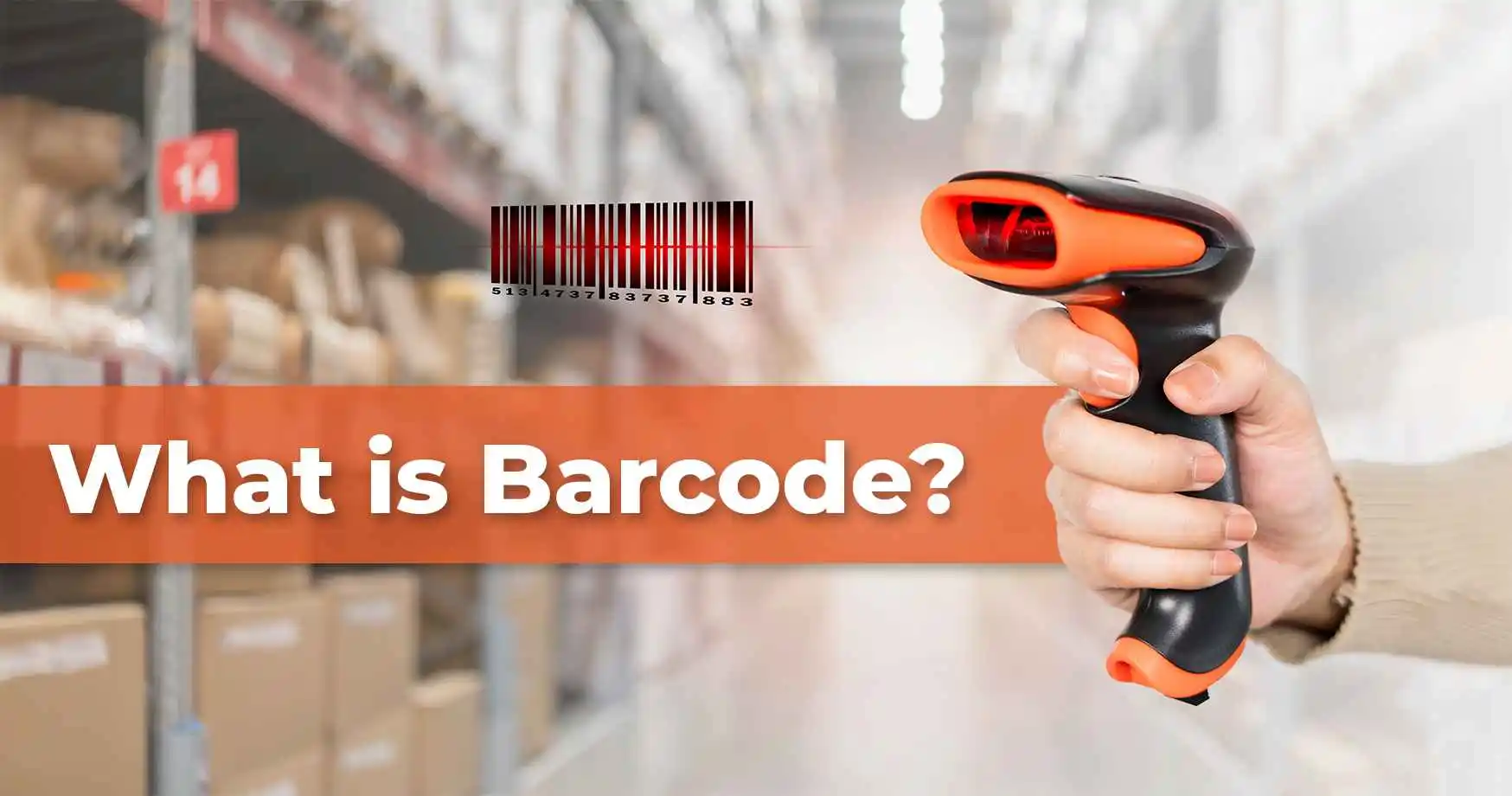
A barcode is a machine-readable graphic made of parallel bars and spaces of varying width (1D linear codes) or a matrix of dots and squares (2D codes) that encodes a unique identifier. A scanner reads the pattern, converts it to a number or string, and passes it to a business system (POS, inventory, ERP, or WMS) that looks up what the code represents.
Barcode meaning in practical terms is a printed identity. The identity itself carries no product information. Price, batch, expiry, and location all live in a database, keyed by the barcode number. This separation is why the same barcode on a chocolate bar can carry one price in a Mumbai store and a different price in a Delhi store. The barcode is the reference. The data lives in each store's system.
Barcodes underpin retail POS, inventory control, warehouse operations, healthcare medication administration, logistics tracking, and manufacturing quality traceability. Businesses use them because a one-second scan replaces a multi-second manual entry, catches errors at the source, and creates a time-stamped record that supports audit and traceability across the operation.
History of Barcodes
Barcodes have evolved since the early 20th century, including notable milestones. In the 1940s, machine-readable codes were proposed, but barcodes didn't revolutionise retail until the 1970s. The Marsh Supermarket in Troy, Ohio, performed the first barcode scan on June 26, 1974, launching barcode history. A multi-pack of Wrigley's Juicy Fruit chewing gum was scanned due to its size and barcode printing difficulty. Marsh Supermarket head of research and development Clyde Dawson was the first "shopper" to engage in the scan, while Sharon Buchanan was his cashier. The checkout equipment from the National Cash Register and the pricing machines from Hobart Corporation helped barcodes become widely used. This event, which launched the Universal Product Code (UPC), marked the beginning of barcodes' evolution from simple product identification to sophisticated, globally standardised systems used in retail, healthcare, and logistics.
Advantages of Using Barcodes
Barcodes become essential when business processes start relying on speed, consistency, and system driven decisions. They are not just identification tools. They act as control points inside operational workflows where accuracy and timing directly affect output, cost, and service levels.
Fewer mistakes at every scan
Manual data entry is where most operational errors begin. A receiving clerk mistypes a part number. A cashier punches in the wrong price. A picker grabs the wrong SKU because two products look similar. Each error then ripples through inventory records, invoices, and shipping documents.
A barcode scan removes the manual step. Every scan confirms the correct item and quantity before the next process moves forward, which means errors are caught at the source rather than after they have travelled through the system. This is why retailers, hospitals, and logistics companies that rely on barcode scanning aim for fewer billing discrepancies, fewer wrong shipments, and fewer stock reconciliation issues.
Faster execution of routine tasks
A single barcode scan takes about a second. The equivalent manual process, which involves reading a label, typing the code into a system, and confirming the entry, takes several seconds at minimum. Multiply that small difference across thousands of scans a day and the time savings become significant.
Stock receipts, order fulfilment, asset check-ins, and returns all run faster with barcode scanning. Because each scan automatically updates the connected system, there is no need for a second person to enter the same data later, which removes another layer of delay between physical action and system update.
Lower operating cost as volumes grow
When a business is small, manual stock counts and manual data entry are manageable. As volumes grow, the cost of doing things manually rises faster than headcount can absorb. Each manual entry takes time, each error costs money to fix, and each reconciliation cycle pulls staff away from higher-value work.
Barcodes flip this equation. The cost of printing barcode labels stays roughly constant per item, while the labour saved per scan adds up across thousands of daily transactions operations that introduce barcode scanning at scale can reduce inventory carrying costs, billing errors, and the labour required for stock audits.
Clearer traceability from receipt to dispatch
Every barcode scan creates a time-stamped digital record. Over weeks and months, those records build into a complete history of where each item has been, when it moved, and who handled it. This makes it possible to trace a defective batch back to its supplier, investigate a missing shipment, or audit compliance with food-safety, pharmaceutical, or automotive quality regulations.
Without barcode scanning, this history has to be reconstructed from paperwork, which is slow and error-prone. With barcode scanning, the history is built automatically as part of the day-to-day workflow. A leading plant science company achieved complete visibility of material movement by deploying barcode-driven scan points at every transfer between processing stages, which is what makes barcodes a foundation for traceability in regulated industries.
How Does Barcode Work?
A barcode works in three simple stages. A scanner shines light at the code, reads the pattern of dark and light bars as a series of zeros and ones, and sends that number to a computer system that looks up what the number represents. The whole process takes milliseconds, which is why barcodes are everywhere in retail tills, warehouses, hospitals, and delivery trucks.
Step 1: The scanner shines a light at the barcode
A barcode scanner contains either a laser or a small camera. Both work on the same principle. The scanner emits light onto the printed code, the dark bars absorb most of the light, and the light spaces reflect it back. A sensor inside the scanner measures the reflection pattern.
This is why a barcode is always printed in high contrast (black on white is the standard). Without that contrast, the scanner cannot tell where a bar ends and a space begins, which is also why a damaged or smudged barcode fails to scan.
Step 2: The pattern is converted into a number
The scanner translates the pattern of reflections into binary code, where every dark bar registers as a 1 and every light space registers as a 0. The widths and spacing of the bars combine into a long binary string, which the scanner then decodes into a regular number, or a string of letters and numbers, depending on the barcode type.
At this stage, the barcode meaning is just a number. The number by itself says nothing about price, product name, or expiry. Those details are stored elsewhere.
Step 3: The computer looks up what the number means
The scanner sends the decoded number to a connected system, such as a point-of-sale till, an enterprise resource planning (ERP) platform, or a warehouse management system. The system matches the number against its product database and pulls up the relevant information: name, price, batch number, location, expiry date, or whatever the business has stored for that item.
This is why the same barcode on a chocolate bar can show one price at a supermarket in Mumbai and a different price at a supermarket in Delhi. The barcode is just an identifier. The pricing and product information live in each store's system, not in the bars themselves.
Why this matters for business operations
Once a barcode is scanned and matched to a database record, the system can automatically do several things at once: confirm the right item has been picked, update the stock count, generate an invoice line, trigger a reorder when stock drops below a threshold, or log the movement for audit.
A single one-second scan replaces several steps that would otherwise be done by hand, which is the reason barcodes underpin almost every modern inventory, retail, and logistics workflow.
In complex operational flows such as the digital transfer of bulk commodities, each scan becomes a verification point that keeps physical movement, automation signals, and enterprise records aligned without manual reconciliation.
Types of barcodes: 1D linear and 2D matrix codes compared
Barcodes fall into two families. A 1D linear code stores data in bar and space widths along one axis, so a laser scanner or an imager can read it. A 2D matrix code stores data in a grid of cells, needs an imager, and can carry batch, expiry and serial number too.

The split follows the payload. 1D suits codes where trading-partner standards are settled, and 2D suits packs that must carry batch, expiry and serial number. For IT teams, label templates, printer settings and scanner decoding must follow the standard in the specification column, or a valid code fails at the partner's site.
Components of Barcode
A barcode is designed so that machines can interpret it the same way across locations, systems, and workflows. Each component plays a specific role in ensuring the barcode can be scanned reliably, mapped correctly to master data, and processed inside enterprise systems. This is central to how barcodes work in detail within operational environments.
These are the main parts of a barcode:
a. Quiet zone:
The quiet zone is the blank space that appears before and after the barcode. It exists to isolate the barcode from surrounding print elements such as text, borders, or packaging graphics. Scanners rely on this clear boundary to detect where data begins and ends. Without a quiet zone, scanners may misread adjacent elements as part of the barcode, leading to failed or incorrect scans.
Operational value
- Prevents scan failures on crowded labels and packaging
- Ensures consistent readability across different printers and scanners
- Supports high speed scanning in automated labelling systems
b. Number system digit:
The number system digit defines the category or classification of the item being identified. In UPC based standards, this digit signals how the rest of the code should be interpreted. It does not describe the product itself. Instead, it helps systems apply the correct processing logic when the barcode is scanned.
Operational value
- Enables system level categorisation without manual tagging
- Supports rule based processing in POS and inventory systems
- Helps standardise data interpretation across trading partners
c. Manufacturer code:
The manufacturer code identifies the company responsible for the product. This code is assigned by GS1, the global standards organisation that governs barcode allocation. GS1 ensures that each manufacturer code is unique worldwide, which prevents duplication and conflicts across supply chains.
The presence of this code explains why barcodes remain consistent across retailers while pricing and internal identifiers change. The barcode identifies ownership and origin, not commercial terms.
Operational value
- Ensures global uniqueness across suppliers and markets
- Supports interoperability across ERP and supply chain systems
- Enables seamless integration with partner and retailer database
d. Product code:
The product code is assigned by the manufacturer and distinguishes one item from another within the same manufacturer range. This code does not store price, tax, or discount information. Instead, it acts as a reference key that links the physical product to records stored in a database. This separation allows businesses to change pricing, availability, or attributes without reprinting barcodes.
Operational value
- Supports dynamic pricing without relabelling
- Enables accurate SKU level tracking across systems
- Reduces rework during product updates or packaging changes
e. Check digit:
The check digit exists solely for validation. It is calculated using the preceding digits and allows scanners to verify that the barcode was read correctly. If the calculated value does not match, the scan is rejected.
This component prevents incorrect transactions from entering systems due to partial scans, damaged labels, or signal interference.
How These Components Support Business Operations
Each barcode component contributes to operational stability in different ways.
- Quiet zones support scan reliability in high density labelling environments and automated labelling systems
- Number system digits enable rule based processing without manual classification
- Manufacturer codes ensure global standardisation enforced through GS1 governance
- Product codes enable database driven workflows where pricing and attributes remain flexible
Together, these elements allow barcode technology to function as a dependable identification layer across inventory management, supply chain execution, and enterprise reporting.
Barcode Applications in Various Industries
Barcodes increase productivity, decrease errors, and track items and assets in many enterprises. Below are some prominent barcode applications across industries:
1. Retail:
In retail, barcodes are utilised for pricing, inventory, and checkout. Fast and accurate barcode scanning speeds POS transactions. Fruits and vegetables use GS1 Databar barcodes for batch numbers and expiration dates. Stock management is simplified as expired products are not sold. Barcode systems simplify reordering and stock-out prevention by tracking stock levels in real time. Walmart and other big stores use barcodes to automate inventory and reduce stock checks. Barcodes link with payment systems, enabling UPI and digital wallet payments and improving checkout.
2. Healthcare:
Barcodes are useful in healthcare for patient tracking, prescription management, and equipment monitoring. Wristbands with patient ID and medical information barcodes reduce errors and improve care. Medication barcodes ensure that patients receive the appropriate prescriptions and dosages, boosting safety. Hospital Barcodes for Medication Administration (BCMA) systems reduce medication errors and improve patient safety.
3. Logistics and Warehousing:
Logistics and warehouse management solutions track freight, inventory, and locations with barcodes. Due to its versatility, logistics uses Code 128 barcodes to track shipments, identify products, and manage warehouse inventory. Real-time supply chain tracking with barcodes reduces errors and ensures product placement. Barcode scanning helps UPS track and deliver shipments on time. This system saves time and updates clients on shipments.
4. Manufacturing:
Barcodes track industrial quality, assets, and processes. To assure quality and punctuality, barcodes track materials, tools, and equipment throughout production. Real-time quality inspections help manufacturers enhance product quality. For instance, barcodes help General Motors (GM) organise production line components. Asset management barcodes track and maintain machinery, decreasing downtime and extending life.
In short, barcodes improve operational efficiency, reduce errors, and track products and assets across sectors. Barcodes boost company processes and help organisations remain ahead in today's fast-paced environment in retail, healthcare, logistics, and manufacturing.
Ways to use barcode
Barcodes can boost efficiency, streamline procedures, and improve consumer experiences. Companies in many industries use barcodes for retail management and security. Below are some significant barcode uses:
1. Retail and inventory management
In retail operations, barcodes act as transaction triggers rather than simple identifiers. A scan confirms the item, applies pricing logic, and updates stock at the same time. Inventory movement is recorded as it happens, feeding live data into inventory systems and, where applicable, a warehouse management system that controls replenishment and picking.
What barcodes enable in this workflow
- Instant stock updates at the point of sale
- Automated replenishment signals
- Reduced dependency on manual stock counts
2. Document management
Document workflows depend on quick retrieval and controlled movement. Barcodes link physical files to digital records, allowing systems to confirm identity and status before a document is accessed or moved.
What barcodes enable in this workflow
- Faster document lookup
- Automatic logging of document movement
- Reduced filing and retrieval errors
3. Delivery Tracking
Delivery workflows rely on accurate handovers across multiple stages. Barcode scans act as confirmation points that update shipment status only when a physical scan occurs.
What barcodes enable in this workflow
- Scan based status updates
- Fewer manual tracking errors
- Better visibility across dispatch and receipt stages
4. Customer Engagement
In customer facing processes, barcodes act as controlled entry points to digital actions. The printed code remains fixed while the linked content can be updated as needed.
What barcodes enable in this workflow
- Flexible content updates without reprinting
- Consistent user redirection
- Measurable scan based interactions
5. Security
In access control workflows, barcodes function as identity references that validate permissions before access is granted. Each scan creates a recorded access event.
What barcodes enable in this workflow
- Faster access verification
- Centralised access logging
- Reduced manual identity checks
Barcodes support these workflows by embedding verification directly into operational steps. Actions are recorded when they occur, systems stay aligned, and process control improves without adding manual overhead.
How to Choose the Right Barcode for Your Needs?
Barcode selection is a two-step decision. First, the format family (1D linear or 2D matrix) that fits the data payload, scanner infrastructure, and operational environment. Second, the specific symbology within that family that meets industry standards and interoperates with trading partners.
Step 1: 1D or 2D?
- 1D (linear): UPC, EAN-13, Code 128, GS1-128, ITF-14. Encodes 20 to 25 characters. Line of sight required. Readable by laser, CCD, or imager scanners. Best for retail POS, carton and pallet labelling, general inventory
- 2D (matrix): QR, Data Matrix, PDF417, Aztec. Encodes up to 4,000+ characters. Readable from any angle by an imager. Reed-Solomon error correction tolerates 30%+ label damage. Best for pharma serialisation, component-level traceability, consumer engagement
Most Indian operations end up running both, with 1D on high-volume retail and logistics where standards are settled, and 2D on pharma serialisation and component traceability where data payload has outgrown linear codes.
Step 2: Symbology within family
Once the format is chosen, industry standards and trading-partner requirements decide the specific symbology:
- Code 128 for internal inventory and logistics carton labelling (non-retail)
- EAN-13 for retail products entering global distribution
- GS1-128 for logistics units, pallet SSCC labelling, batch and expiry encoding
- ITF-14 for outer cartons and corrugated shipping cases
- QR Code for consumer engagement and mobile payments
- Data Matrix for pharma primary and secondary packaging, and component marking on small items down to 2x2 mm
- PDF417 for identity documents, boarding passes, and applications needing photo or fingerprint encoding
- GS1 DataBar for space-constrained retail items (fresh produce, small pharma packs)
Environmental and infrastructure fit
Beyond format and symbology, three practical constraints shape the final choice:
- Label environment: dust, moisture, abrasion, and temperature affect readability. Harsh conditions favour 2D symbologies (error correction) printed on thermal transfer labels or direct-part-marked substrates
- Scanner infrastructure: laser scanners are cheapest but read only 1D. Imagers read both 1D and 2D. Operations planning to add 2D later should invest in imager-based handheld scanners upfront to avoid a two-cycle upgrade
- Trading-partner standards: GS1 governs global uniqueness across manufacturer codes and product identifiers. Suppliers into modern retail, pharma, and export markets must be GS1-registered under India's 890 country prefix
What a barcode deployment needs beyond the symbology
Barcode selection is only one part of a barcode deployment. In a production environment, the code must work with the label material, printing equipment, scanning hardware, and software that capture and process the data. For Indian manufacturers and 3PLs, this can include barcode technology, label design and printing, automated labelling systems, and handheld scanners used across warehouses and production floors.
The scanner converts the printed pattern into digital data, which is then passed to the relevant inventory, warehouse, ERP, or traceability system. Understanding this process is useful when evaluating scanner compatibility, print quality, and decoding performance. See how do barcodes work for a breakdown of how scanners capture and decode barcode data.
Barcode vs. Other Identification Technologies
In addition to barcodes, RFID and NFC are employed for tracking and data management throughout sectors. Each technology has unique qualities that suit different applications.
The below comparison compares barcodes, RFID, and NFC on cost, range, and data storage
1. Barcodes
Barcodes are popular since they're cheap and easy to use. Ideal uses include:
- Cost: Barcodes are cheap and easy to print; therefore, cost matters.
- Direct line-of-sight scanning: Since barcode readers need a clear view of the barcode to capture data, direct line-of-sight scanning is possible.
- Limited data storage: They can record product codes and prices but not large datasets.
Barcodes are widely used in retail and inventory management to monitor products and check out at the register.
2. RFID
RFID uses radio waves to read tag data for wireless tracking and identification. RFID tags have many advantages over barcodes:
- Longer range: RFID readers can read tags without a direct line of sight, making them ideal for bulk scanning or conveyor belt tracking.
- RFID tags can store more data than barcodes and can be overwritten for real-time updates.
- Higher cost: RFID tags and systems cost more than barcodes, limiting its use to real-time, mass data reading but not as cost-effective for large-scale operations or many products. Since RFID is more expensive, it is usually employed in supply chain management and inventory control where its superior tracking capabilities exceed the cost.
- Use Case: Logistics and warehousing use RFID to track inventories without scanning each item.
3. Near-Field Communication
NFC is a subset of RFID used for contactless payments, secure data transfer, and customer engagement:
- Short-range communication: NFC protects sensitive data by requiring a few centimetres between reader and tag.
- Moderate data capacity: NFC tags retain more data than barcodes but less than RFID technologies.
- Moderate cost: NFC is cheaper than RFID but more expensive than barcodes.
Customers can tap their devices to learn more about a product or make safe payments using NFC.
Conclusion
Barcodes are crucial to modern enterprises because they expedite processes, improve accuracy, and efficiently manage inventories and assets. Barcodes simplify procedures and reduce errors in retail, healthcare, logistics, and manufacturing, helping firms improve service and transparency.
Barcodes, an established and widely adopted technology, continue to evolve with new applications and integrations that improve their usefulness and adaptability. Barcodes are still valuable, promising more efficiency and functionality for industries globally as barcode varieties and scanning technologies improve. Their reliability and ease of use make them essential for data management, asset tracking, and process automation, keeping industries competitive and ready for change.